IEEE 754 Explained: Float to Binary (Sign, Exponent, Mantissa)
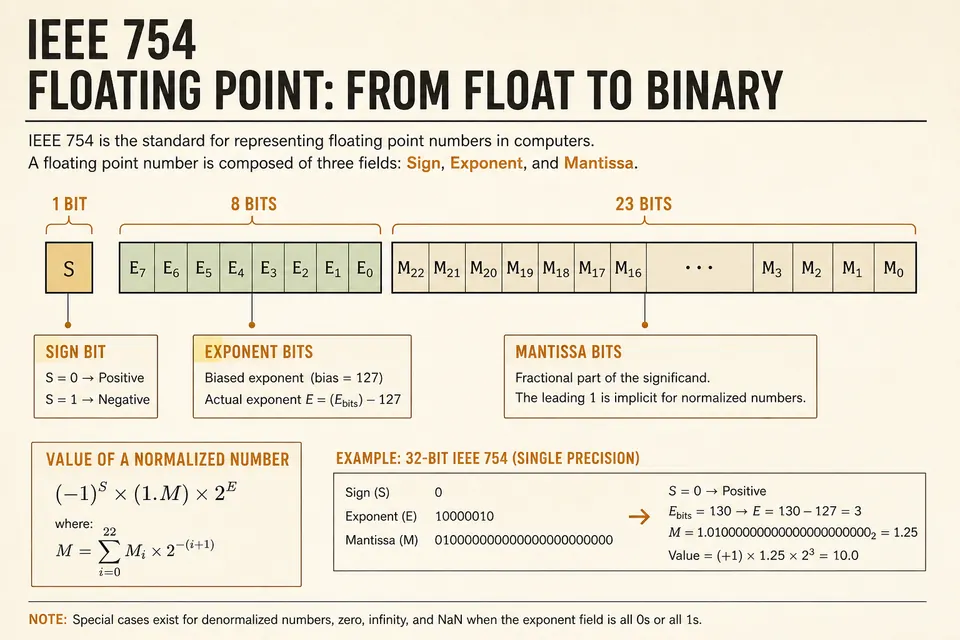
IEEE 754 binary floating-point formats store a sign, an exponent, and a fraction field. Many decimal fractions cannot be represented exactly in those fields. This guide converts 3.14159 to binary32, compares binary64, and connects the layout to rounding in calculations such as 0.1 + 0.2.
What IEEE 754 Encodes
Every finite floating-point value is stored as three pieces: a sign bit, an exponent field, and a fraction (mantissa / significand). The value is roughly:
The leading 1 before the binary point is usually implied for normal numbers, so you do not store it. That trick buys one extra bit of precision. Special cases (zeros, subnormals, infinities, NaNs) bend the rules; we will cover those after the main example.
Single vs Double Precision
Two widths show up everywhere in C, JavaScript (which uses double for Number), Python, and GPU shaders.
| Format | Bits | Sign | Exponent | Mantissa | Bias |
|---|---|---|---|---|---|
| binary32 (float) | 32 | 1 | 8 | 23 | 127 |
| binary64 (double) | 64 | 1 | 11 | 52 | 1023 |
Double is not “twice as accurate” in a casual sense; it has far more mantissa bits, so the spacing between representable numbers around 1.0 shrinks from about 1.19×10⁻⁷ (float) to about 2.22×10⁻¹⁶ (double). Use the IEEE 754 lab when you want both layouts side by side without doing the arithmetic by hand.
Step 1: Sign Bit
The sign bit is 0 for positive values and 1 for negative values, including the separate encodings of positive and negative zero. The example 3.14159 therefore starts with a zero sign bit.
Sign for 3.14159: 0
Step 2: Convert to Binary Scientific Notation
Split the number into an integer part and a fractional part, convert each to binary, then normalize so there is a single 1 left of the binary point.
Integer part: 3 → 11 in binary.
Fractional part 0.14159: multiply by 2 repeatedly, recording the integer bit each time.
0.14159 × 2 = 0.28318 → bit 0
0.28318 × 2 = 0.56636 → bit 0
0.56636 × 2 = 1.13272 → bit 1
0.13272 × 2 = 0.26544 → bit 0
0.26544 × 2 = 0.53088 → bit 0
0.53088 × 2 = 1.06176 → bit 1
… continue until you have enough bits for the mantissa
So far: 11.001001…. Normalize by shifting the binary point one place left:
1.1001001… × 2¹
Unbiased exponent = 1. Stored exponent for float = 1 + 127 = 128 = 10000000.
Step 3: Pack the Mantissa
For a normal binary32 value, omit the leading 1 and round the fraction to 23 stored bits using round-to-nearest, ties-to-even. Keep enough extra bits to decide the rounding. For 3.14159, the result is:
Sign: 0
Exponent: 10000000
Mantissa: 10010010000111111010000
Full 32-bit: 0 10000000 10010010000111111010000
The exact binary32 hexadecimal pattern is 0x40490FD0, representing 3.141590118408203125. This is the nearest binary32 value to 3.14159. Check it with the IEEE 754 converter.
Double Precision for the Same Number
Same sign. Same unbiased exponent of 1, but the bias is 1023, so the stored exponent is 1024 = 10000000000. The mantissa stretches to 52 bits, capturing more of the infinite binary expansion of 0.14159.
That is why printing 3.14159 as a double often looks closer to the decimal you typed, while casting to float can nudge it. Neither representation is the mathematical real number; both are nearby dyadic rationals.
Special Values You Will Meet
| Pattern | Meaning |
|---|---|
| Exponent all 0, mantissa all 0 | ±0 (sign still matters) |
| Exponent all 0, mantissa ≠ 0 | Subnormal (tiny values near zero) |
| Exponent all 1, mantissa all 0 | ±Infinity |
| Exponent all 1, mantissa ≠ 0 | NaN (not a number) |
In JavaScript, division of a finite nonzero value by zero produces a signed infinity. Zero divided by zero and Math.sqrt(-1) produce NaN. Equality and ordered comparisons involving NaN are false; inequality comparisons are true. Use Number.isNaN to test for NaN.
Why 0.1 Repeats in Binary
Decimal 0.1 has a repeating expansion in binary, similar to how 1/3 repeats in decimal. IEEE 754 stores the closest representable value. When you add rounded approximations, the error shows up in the last bits.
For money, use integers (cents) or a decimal type. For graphics and science, floats are fine if you understand the error budget. Inspecting the bits once makes the tradeoff less mysterious. Related reading: what is binary code and binary in programming.
Reading Float Bits in a Hex Dump
The binary32 pattern 0x40490FD0 occupies four bytes. In little-endian order these appear as D0 0F 49 40. Reverse the byte order to write 40 49 0F D0, then split the bits into the sign, exponent, and fraction fields.
Hex is still the friendliest way to talk about those 32 bits. Convert nibbles with the binary converter when you need the raw 0/1 string for a paper or a unit test.
Quick Checklist for Manual Conversion
- Write the sign bit.
- Convert absolute value to binary (integer + fraction).
- Normalize to
1.m × 2^e. - Add the bias to
eand write the exponent field. - Copy
minto the mantissa width; round the last bit if needed. - Sanity-check by converting bits back to decimal, or paste into the lab tool.
FAQ
Is JavaScript Number a float or a double?
IEEE 754 binary64 (double). Typed arrays like Float32Array store single precision when you need the smaller format explicitly.
Why does my float hex not match someone else's for 3.14159?
For 3.14159 rounded to binary32 with round-to-nearest, ties-to-even, the pattern is 0x40490FD0. A different result can come from a different input, a different format, or a rounding mistake. Compare the exact input and precision before treating the difference as expected.
Can I convert float bits with a text-to-binary tool?
Not usefully. Text to binary encodes characters, not IEEE fields. Use the dedicated IEEE 754 page for floats.
What about half precision (16-bit)?
Same three-field idea: 1 sign, 5 exponent bits (bias 15), 10 mantissa bits. Common in GPU textures and ML. The conversion steps are identical; only the widths change.
Convert 3.14159 Yourself
Walk the steps above once on paper. Then confirm the bit string in the browser so you trust the layout when you see it in a crash dump or a protocol buffer.
Open the IEEE 754 Float Lab at BinaryTranslator.org, enter 3.14159, and toggle single vs double. From there you can jump to the home converter for integer bases, or decimal to binary for the integer-only path.
Check the examples
Technical reference
Related Articles
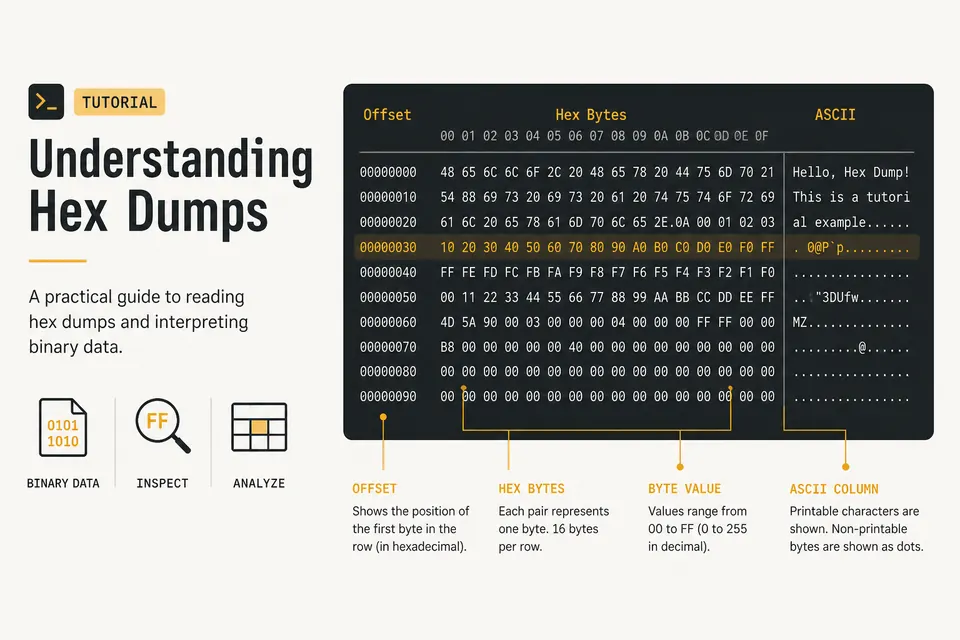
Hex Dump Explained: How to Read a Hex Viewer
Learn what the offset, hex bytes, and ASCII columns mean. Spot PNG magic bytes and inspect files with a private browser hex dump tool.
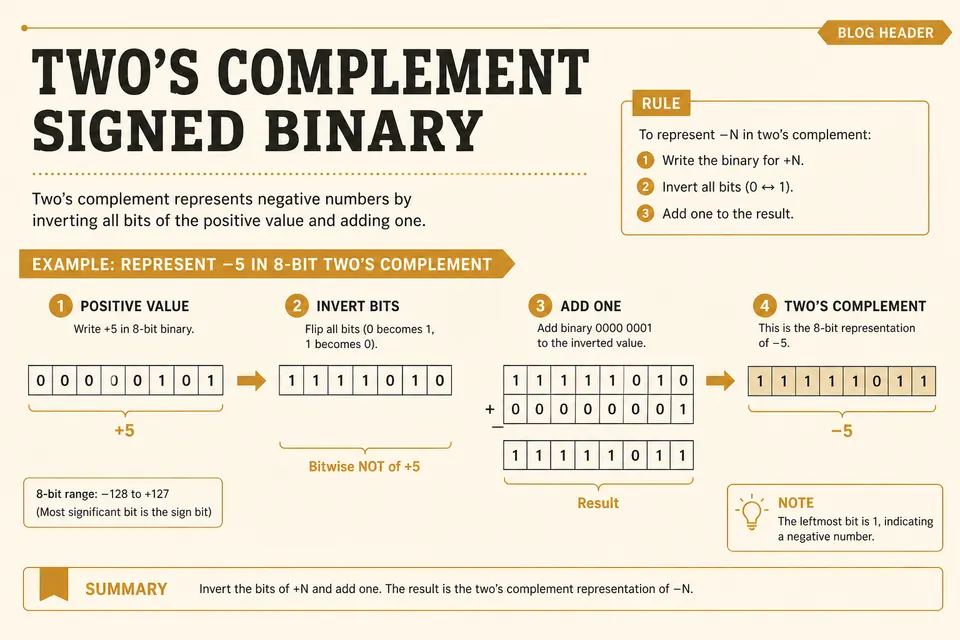
Signed Binary and Two's Complement (Negative Numbers)
How computers store negative integers: invert the bits, add one, and check the range of an 8-bit signed value.
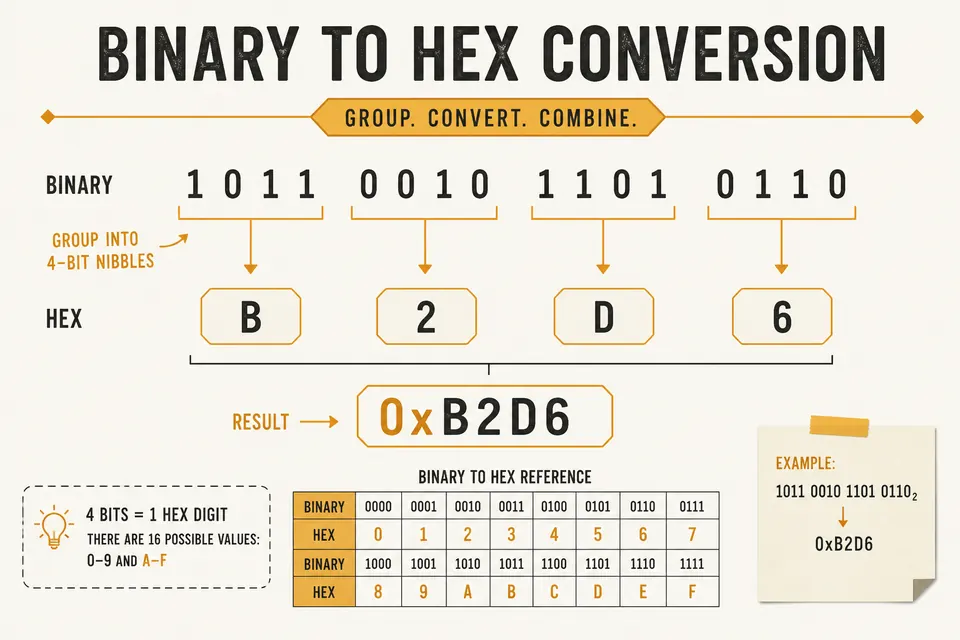
Binary to Hex Converter: Step-by-Step With Nibbles
Convert binary to hexadecimal by grouping bits into nibbles. Includes the reverse path (hex to binary) and a quick reference table.