
Binary to Text Translator: How It Works (2026)
Paste 01001000 01100101 01101100 01101100 01101111 into a UTF-8 binary decoder and it returns Hello. Each eight-bit group is a byte. This guide explains how a translator reads those bytes, why encoding matters, and what to check when the output is wrong.
What a Binary to Text Translator Actually Does
A binary to text translator parses the input into bytes, then decodes those bytes using a character encoding. For ASCII text, each byte maps directly to one character. In UTF-8, several bytes can belong to the same code point.
UTF-8 uses the same byte values as ASCII for English letters, digits, and common punctuation. Accented letters, other scripts, and emoji can require multiple bytes. This site's converter uses UTF-8 for both directions.
Why Binary Is Still Relevant
Looking at bytes can help when debugging text in a file or network message. The same bits can also represent compressed data, encrypted data, or images, which will not necessarily decode as text. Check the source format before choosing a decoder.
How the Conversion Works
The process is straightforward once you break it into three stages.
1. Split the Stream into Bytes
Binary text is normally written in chunks of eight bits, called bytes. If there are no spaces, the tool slices the stream every eight characters. For example, 0100100001100101011011000110110001101111 becomes five bytes: 01001000, 01100101, 01101100, 01101100, and 01101111.
2. Convert Each Byte to a Number
Each byte is converted from base-2 to decimal. The byte 01001000 equals 72, which maps to the uppercase letter “H” in ASCII. Repeat that for every byte and you get the full message.
3. Apply the Right Encoding
The decoder must use the encoding that produced the bytes. BinaryTranslator uses UTF-8 and reports invalid byte sequences. It does not guess legacy encodings such as Windows-1252; if you need one, use a decoder that explicitly supports it.
Real-World Uses
These are common situations where inspecting encoded text helps.
- Developers: Reading memory dumps, packet headers, or file signatures without writing a custom script.
- Students: Experimenting with their own messages to see how encoding works in real time.
- Security work: Quickly inspecting encoded payloads or recovering readable fragments from damaged files.
Binary to Text Examples
Here are a few everyday words and their 8-bit ASCII representations.
| Text | Binary (ASCII) |
|---|---|
| Hi | 01001000 01101001 |
| Code | 01000011 01101111 01100100 01100101 |
| Byte | 01000010 01111001 01110100 01100101 |
| 2026 | 00110010 00110000 00110010 00110110 |
Paste a row into the binary to text converter to check it. Then change one byte and compare the result with the ASCII table.
What to Look for in a Good Tool
Before using a converter, check its encoding, input validation, and data handling. These affect whether you can trust the result and whether your input leaves your device.
Privacy First
The conversion is trivial, so it should happen instantly in your browser. If a tool sends your input to a server, that is a red flag. Client-side processing keeps your data where it belongs.
Useful Extras
Look for support for multiple output formats, bidirectional conversion, dark mode, and one-click copy. Small conveniences add up when you use the tool regularly.
Frequently Asked Questions
Is binary to text translation always accurate?
Yes, as long as the binary is valid and the correct encoding is used. ASCII and UTF-8 are deterministic, so the same input always gives the same output.
Can I decode binary without an internet connection?
Many browser-based tools work offline once loaded. You can also decode short messages by hand using an ASCII table, though that gets tedious quickly.
Why does my output show weird characters?
Check the byte boundaries and source encoding first. ASCII bytes are valid UTF-8, but bytes from other encodings may decode differently or fail validation. This converter expects UTF-8 and shows an error for invalid sequences.
Can binary represent emojis?
Yes, but not in plain ASCII. Emojis need Unicode, typically encoded as UTF-8 using multiple bytes. A basic ASCII-only converter will not handle them correctly.
Conclusion
Decoding text has two steps: parse complete bytes, then apply the correct character encoding. A malformed bitstring needs to be corrected at the source, and bytes that represent non-text data may have no readable text interpretation.
Use the binary to text converter for UTF-8 messages. The main translator also lets you compare binary, hex, decimal, and octal bytes in your browser.
Check the examples
Technical reference
Related Articles
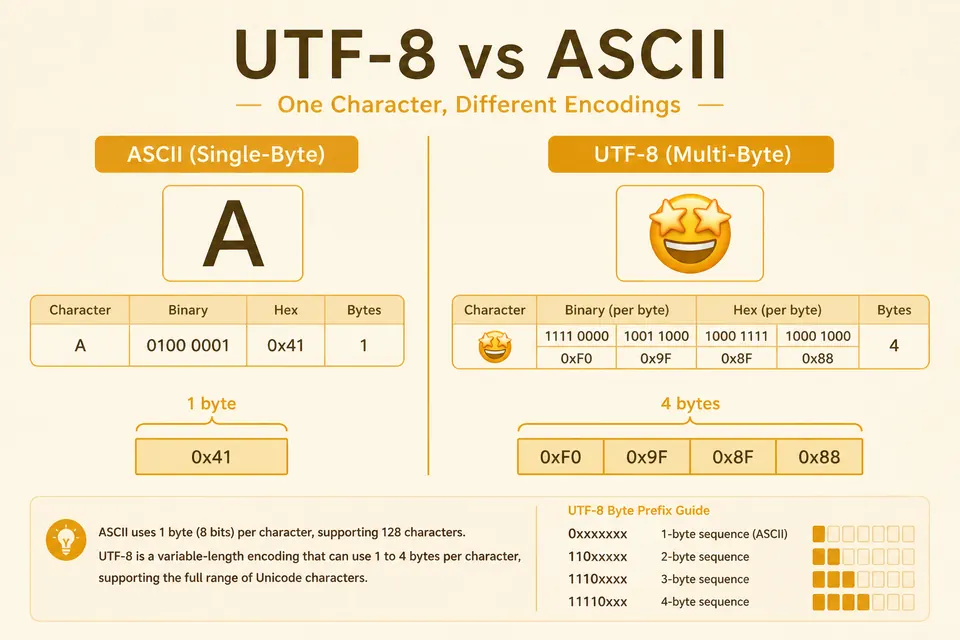
UTF-8 vs ASCII: Byte Counts for Hello, Accents, and Emoji
ASCII fits in one byte. UTF-8 can use one to four. See why emoji and accented text expand the bitstring, with clear examples.
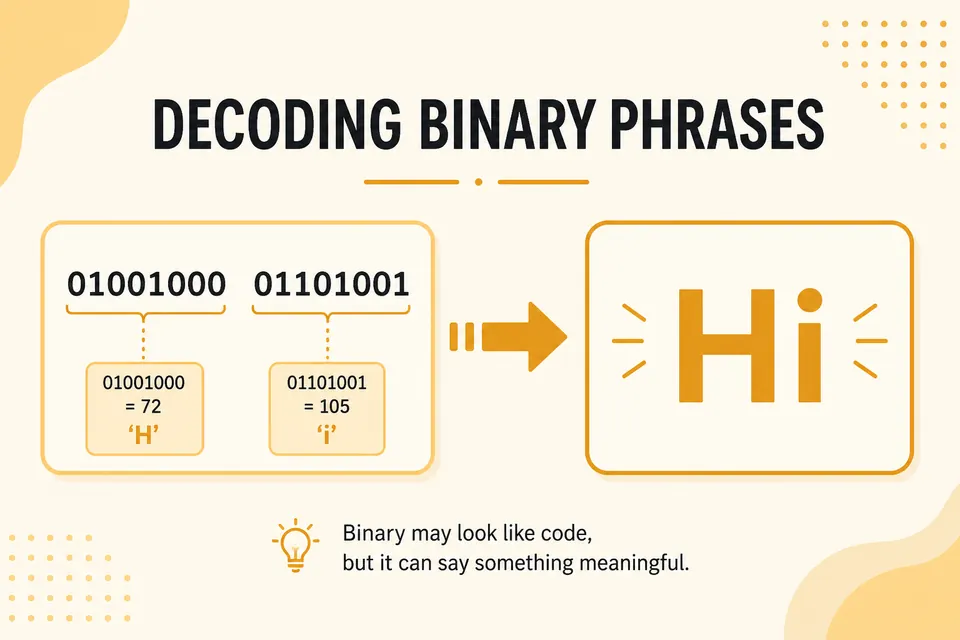
What Does 01001000 01101001 Mean? Common Binary Phrases
Decode popular binary strings like Hi, Hello, and OK. A practical phrase table plus tips for spotting ASCII in the wild.

How to Read Binary Code: A Beginner's Guide (2026)
Learn how to read binary code with simple step-by-step examples, an A-E alphabet table, and beginner-friendly practice exercises. Start decoding 0s and 1s today.